> For the complete documentation index, see [llms.txt](https://specs.govstack.global/llms.txt). Markdown versions of documentation pages are available by appending `.md` to page URLs; this page is available as [Markdown](https://specs.govstack.global/implementation-playbook/implementation/design-service/2-designing-the-future-service-to-be/2.4-define-the-to-be-service-and-blueprint-the-experience.md).
# 2.4 Define the To-Be Service and Blueprint the Experience
## Draft the “To-be” service journey
\
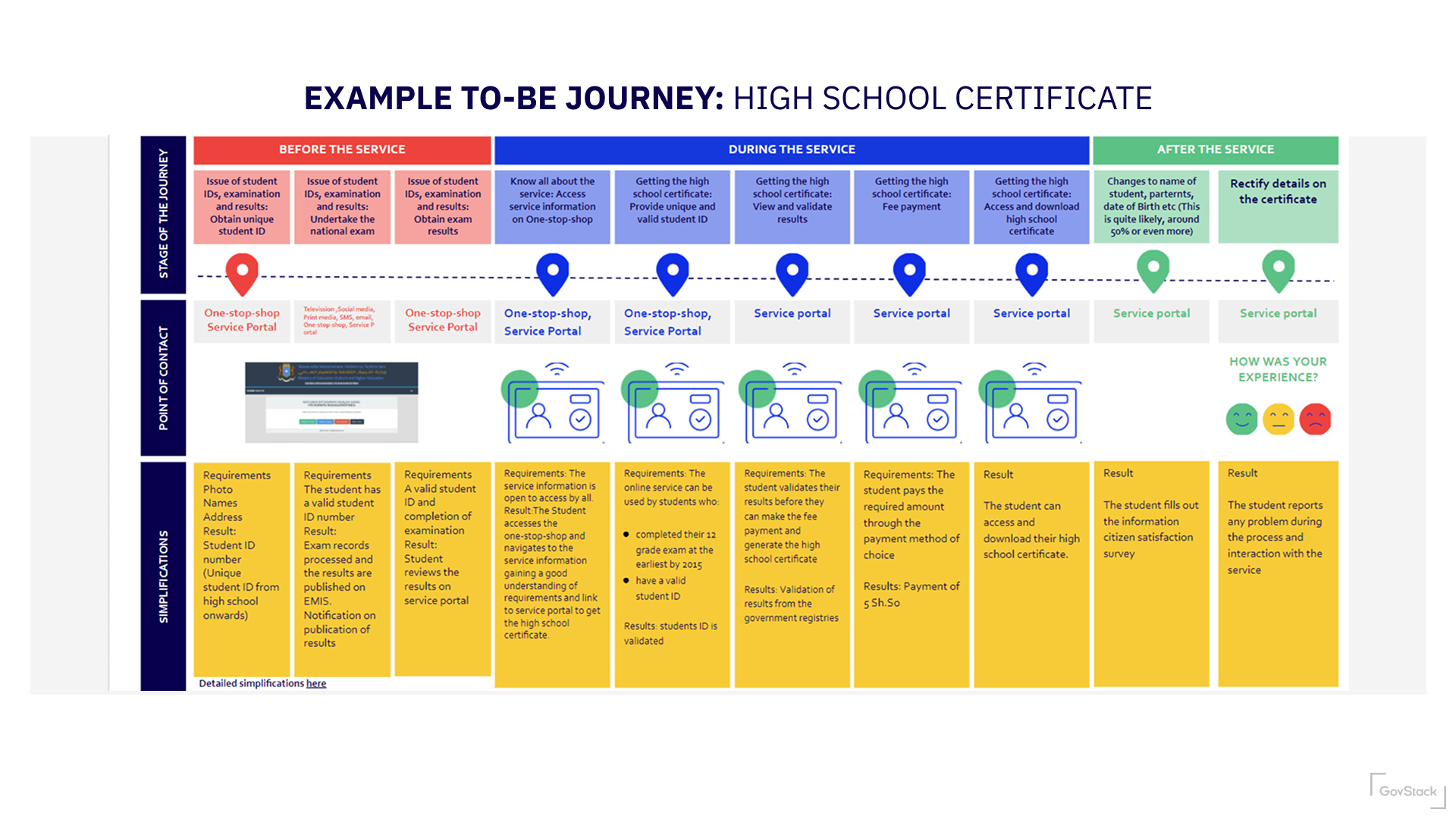
Describe and explore a future end-to-end service journey, bringing together:
* user needs and outcomes
* future service behaviour
* organisational roles and responsibilities
* enabling systems and building blocks
The goal is to make assumptions visible and test whether proposed ideas can work as a service.
How to do it
Move through this activity in layers, starting simple and adding detail where it adds value.
#### 1. Start with the user journey
Begin by drafting a **high-level to-be user journey**.
{% hint style="info" %}
Use our [Journey Mapping Template](https://www.figma.com/file/w9oqWWuuxWtab5EPJIVhhA/Journey-Template?type=whiteboard\&node-id=502-3589\&t=2jbkrrXKAmGpPeg6-0) (opens in Figma, go to file > save local copy) to create a To-Be journey.
{% endhint %}
Focus on:
* what the user is trying to achieve
* the main steps or phases of the service
* key moments that matter to the user
At this stage, avoid internal process detail. The aim is to describe the experience from the user’s point of view.
#### 2. Use service patterns to shape the journey
Once the high-level journey is visible, use service patterns to help structure and challenge it.
Start by identifying relevant **action patterns**, like:
* find a service
* check eligibility
* apply or request
* receive updates
* receive a decision
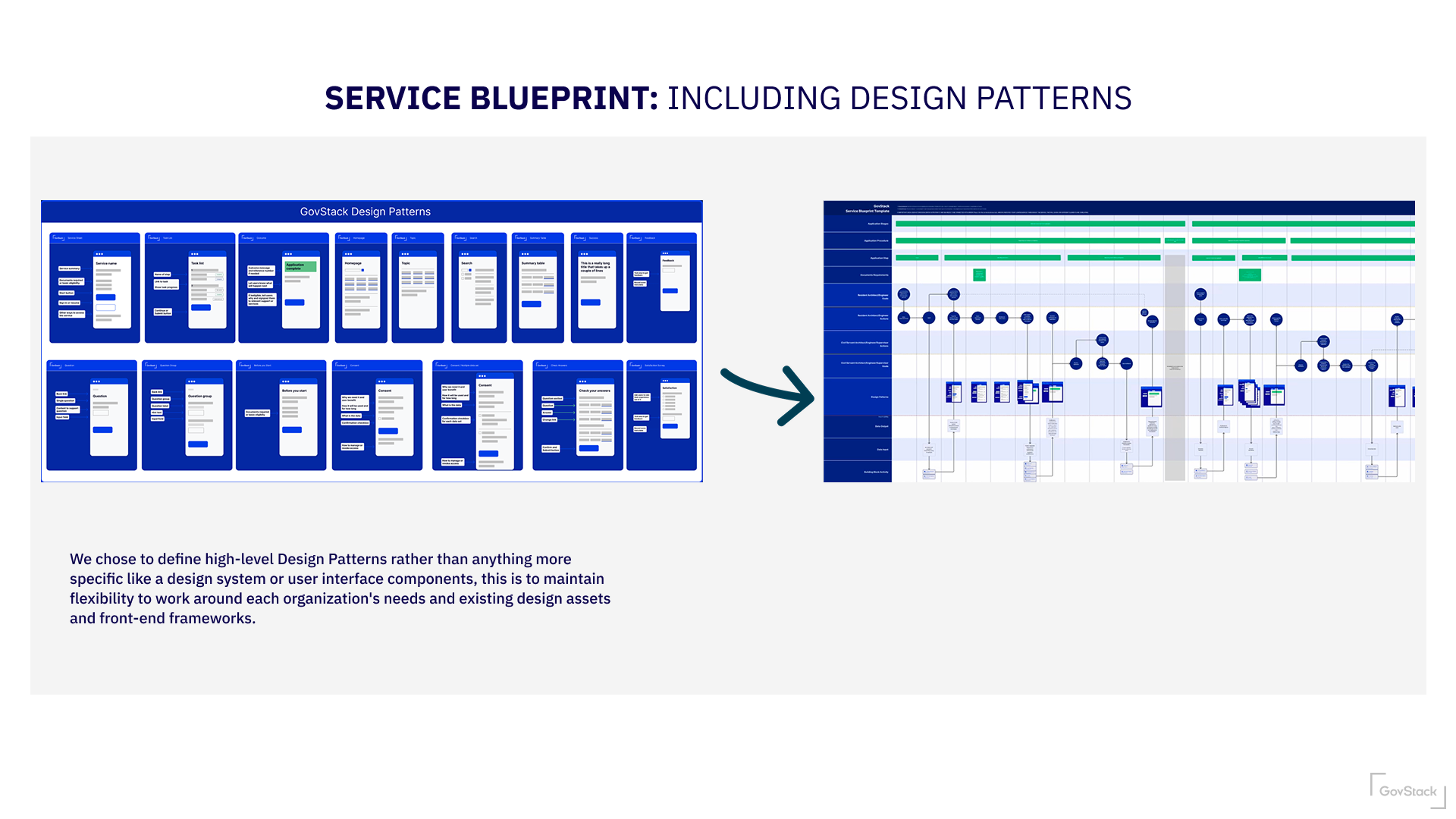
After this, identify relevant **functional patterns** for each action (for example identity, messaging, payments). Each functional pattern is made up of potential steps that make up the journey.
#### 3. Expand into a service blueprint
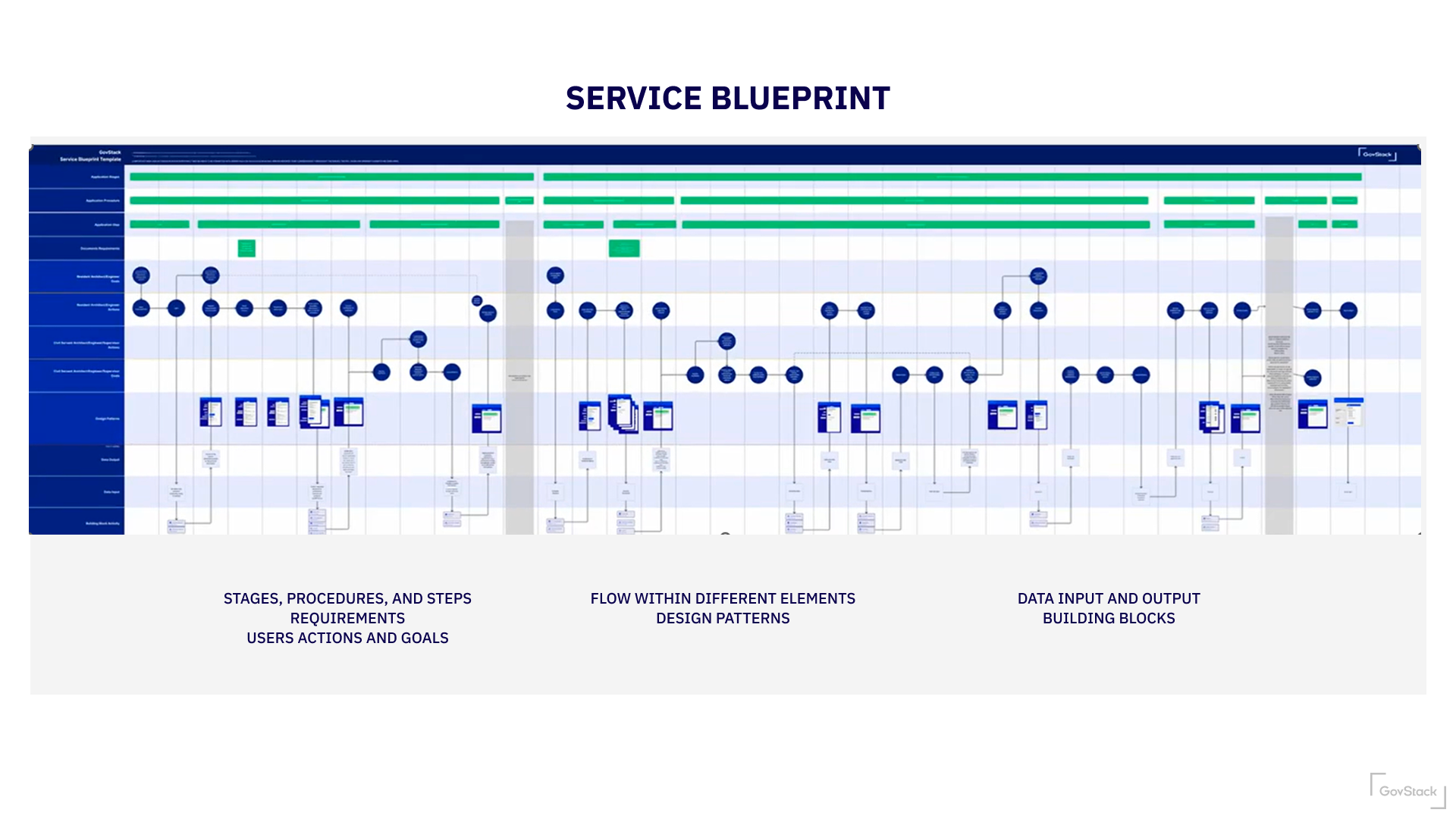
Once the journey feels coherent, teams can add further layers to create a **to-be service blueprint**.
{% hint style="info" %}
Use our [Service Blueprinting Template](https://www.figma.com/community/file/1506959809667708093) (opens in Figma) to create a Service Blueprint.
{% endhint %}
Depending on context, this may include:
* frontline or back-office roles
* systems or building blocks involved
* hand-offs between organisations
* policies, rules, or data dependencies
Not every service needs a full blueprint. Add detail only where it helps uncover risk, complexity, or decision points.
{% hint style="info" %}
Watch a [video tutorial for using the Service Blueprinting Template](/implementation-playbook/annex/service-blueprint.md) (opens in YouTube)
{% endhint %}
#### 4. Sense-check and refine
Use the journey or blueprint to test assumptions:
* does this respond to known user needs?
* where are we assuming things will “just work”?
* which steps feel risky, unclear, or expensive?
* what would need to be tested before delivery?
Capture open questions, risks, and dependencies directly on the journey or blueprint.
Outputs
One or more draft to-be user journeysA partial or full service blueprintNotes on assumptions, risks, and open questionsReferences to relevant service patterns
These outputs are used to decide what is ready to test and learn in the next stage.
Tools and templates
Teams may use:
* [User Journey Template](https://www.figma.com/file/w9oqWWuuxWtab5EPJIVhhA/Journey-Template?type=whiteboard\&node-id=502-3589\&t=2jbkrrXKAmGpPeg6-0)
* [Service Blueprint Template](https://www.figma.com/community/file/1506959809667708093)
* [Service Patterns](https://specs.govstack.global/service-patterns)
---
# Agent Instructions
This documentation is published with GitBook. GitBook is the documentation platform designed so that both humans and AI agents can read, navigate, and reason over technical content effectively. Learn more at gitbook.com.
## Querying This Documentation
If you need additional information that is not directly available in this page, you can query the documentation by asking a question.
Perform an HTTP GET request on the following URL with the `ask` and `goal` query parameters:
```
GET https://specs.govstack.global/implementation-playbook/implementation/design-service/2-designing-the-future-service-to-be/2.4-define-the-to-be-service-and-blueprint-the-experience.md?ask=&goal=
```
`ask` is the immediate question: it should be specific, self-contained, and written in natural language.
`goal` is what the user is ultimately trying to achieve, the reason they need the answer. Sharing it helps GitBook give you a better, more relevant answer. A goal is most helpful when it describes the outcome the user wants rather than restating the question. For example, with `ask=how do I create an API token`, a goal like `automate deployments from our CI pipeline` lets GitBook tailor the answer to that use case.
The response will contain a direct answer to the question and relevant excerpts and sources from the documentation.
Use this mechanism when the answer is not explicitly present in the current page, you need clarification or additional context, or you want to retrieve related documentation sections.