> For the complete documentation index, see [llms.txt](https://specs.govstack.global/llms.txt). Markdown versions of documentation pages are available by appending `.md` to page URLs; this page is available as [Markdown](https://specs.govstack.global/service-patterns/3.-step-patterns/service-catalogue.md).
# Service catalogue
Provide a consistent, trustworthy way for users to browse, and search and find the right service and understand what to do next.
This step often acts as the first point of contact between users and government services.
Check out related guidance on [catalogue services](/implementation-playbook/1.0.0-rc/implementation/catalogue-services.md) on the GovStack implementation playbook.
## How it works
#### 1. Services are presented in a structured way
Services should be organised in a way that makes sense to users, for example:
* Alphabetical listing (A–Z)
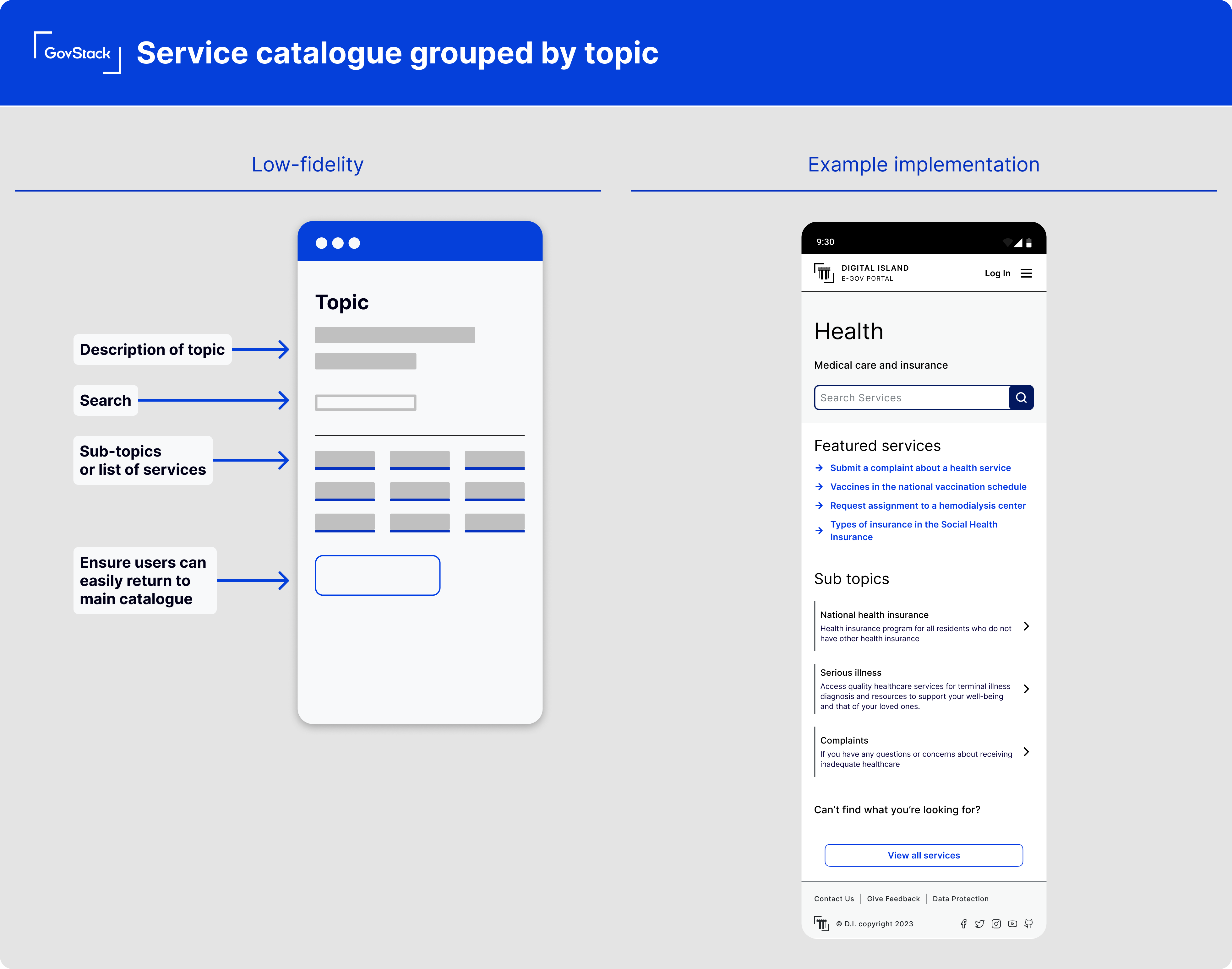
* Grouped by theme, topic or life event
* Grouped by tasks users want to complete
* Separate views for citizens and businesses
The structure should reflect how users think, not how the government is organised.
**Inputs to create a service catalogue**
* service list or register
* details about each service such as name, description, owner, access method, status
* a system for organising or tagging services (taxonomy or tags)
#### 2. Users can browse or search
Users can:
* browse categories or topics
* search using everyday language
* scan short summaries to rule services in or out
Search and browse should work together, users may switch between them freely.
#### 3. Each service is clearly summarised
For each listed service, users should be able to quickly understand:
* what the service is
* who it’s for
* how it can be accessed (online, offline, hybrid)
* whether there is a cost or eligibility requirement
Detailed interaction for a selected service should happen later on the [service sheet](https://docs.google.com/document/d/15us8IahaUh_aTsT1_XQhCMqQLO_PakzTrqC9IUO-x2k/edit?tab=t.mzzlz99f5lic).
#### 4. Users select a service to continue
When a user selects a service, they are taken to a service overview or start page where they can confirm they are in the right place.
At this point, discovery ends and the service journey begins.
### Outputs
* selected service
* confidence that the user has found the right service
* handover into the service journey
***
### Considerations
**Trust and legitimacy**
* The catalogue should clearly signal it is an official government source.
* Consistent branding and naming help prevent fraud and misinformation.
**Inclusion**
* Avoid assuming users will start or complete services online.
**Governance and quality**
* Services should meet defined standards before being listed.
## Variants
Depending on capability and maturity, a catalogue may:
* sit within a government homepage or portal highlighting top services, orienting users
* include personalised recommendations such as reminders or data driven recommendations
* support conversational or guided discovery
---
# Agent Instructions
This documentation is published with GitBook. GitBook is the documentation platform designed so that both humans and AI agents can read, navigate, and reason over technical content effectively. Learn more at gitbook.com.
## Querying This Documentation
If you need additional information that is not directly available in this page, you can query the documentation dynamically by asking a question.
Perform an HTTP GET request on the current page URL with the `ask` query parameter, and the optional `goal` query parameter:
```
GET https://specs.govstack.global/service-patterns/3.-step-patterns/service-catalogue.md?ask=&goal=
```
`ask` is the immediate question: it should be specific, self-contained, and written in natural language.
`goal` is optional and describes the broader end goal you are ultimately trying to accomplish on behalf of the user. GitBook uses it to tailor the answer towards what is most useful for that goal.
The response will contain a direct answer to the question and relevant excerpts and sources from the documentation.
Use this mechanism when the answer is not explicitly present in the current page, you need clarification or additional context, or you want to retrieve related documentation sections.
.png)
.png)
.png)