> For the complete documentation index, see [llms.txt](https://specs.govstack.global/llms.txt). Markdown versions of documentation pages are available by appending `.md` to page URLs; this page is available as [Markdown](https://specs.govstack.global/overview/23q4/govstack-ui-ux-guidelines/4-design-patterns/6-page-templates/7.14-check-answers.md).
# 4.3.9 Check answers
Use this pattern to help users check, review and confirm their entered information before taking a significant final action, such as submitting.
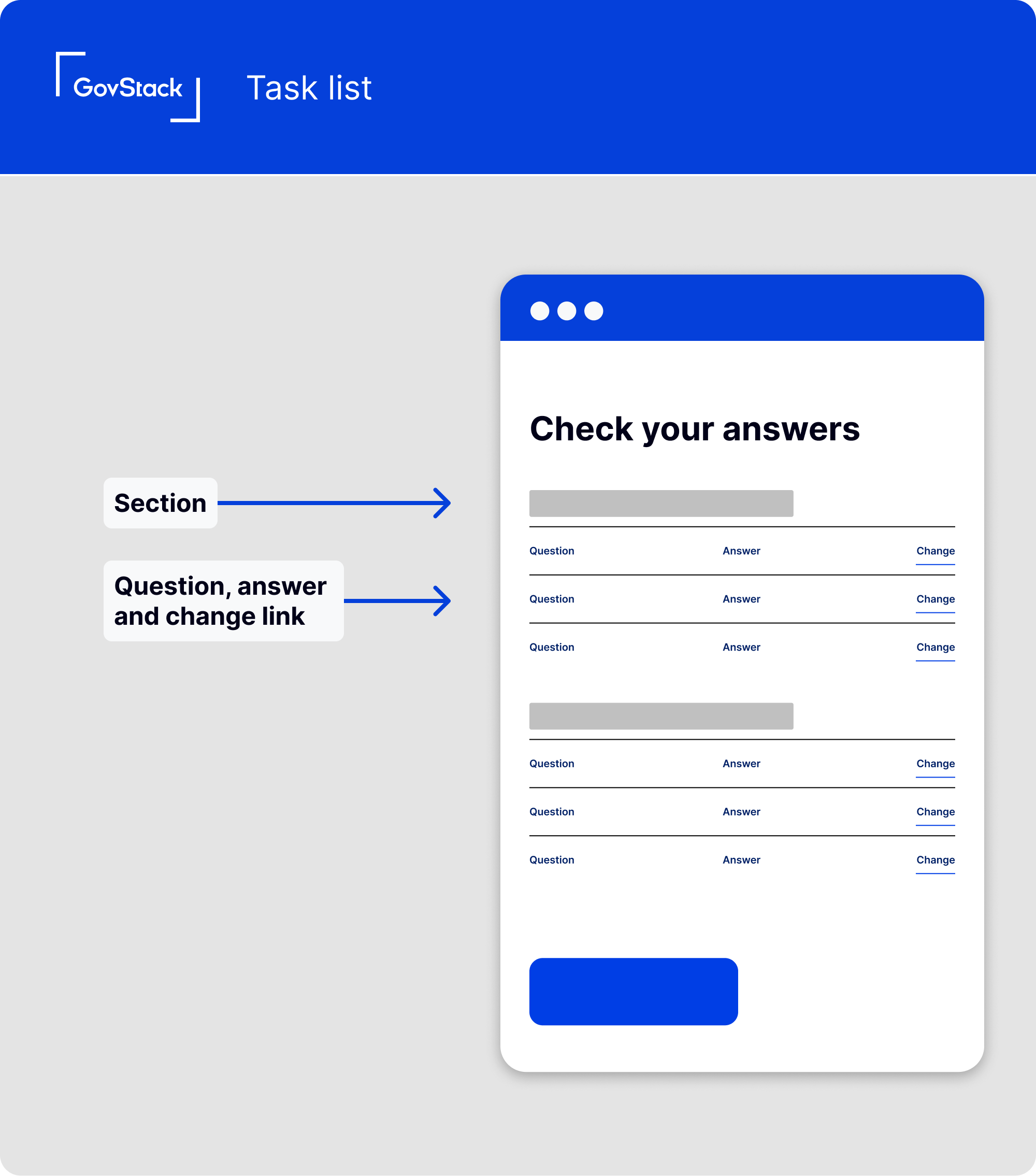
Check your answers example implementation
By allowing users to review, make changes, or confirm their answers, this pattern helps prevent errors in data submission.
The long term benefits of this pattern are:
* users will be confident while using your service as they can visually confirm that all their information has been accurately captured.
* reducing incorrect and incomplete information will result in lower error rates in applications.
## **When to use this pattern**
Use this pattern when you need to capture information from users on a form that spans multiple pages or steps.
## **How it works**
* Use a clear heading that clearly communicates the purpose of the page, such as "Check your answers before sending your application"
* Show the summary of questions and answers given. Ensure the information is organised and easy to scan.
* Consider the type of answers expected from users. For longer answers, utilize a full-width layout to accommodate the content. For shorter answers, a two-thirds layout may be appropriate to optimise space.
* Break content into sections if needed. If there is a large number of questions or if it improves the clarity, divide the content into relevant sections.
* Clearly indicate when a question has not been answered because it was optional. Make it evident to the user that the answer was not provided.
* Provide navigation to edit answers. Offer users a straightforward way to navigate back to previous steps and edit their answers if needed. This can be achieved through direct links or buttons that allow users to easily access and modify specific questions.
* Include a call to action button at the bottom of the page that helps the user take the final action such as submitting their application.
---
# Agent Instructions
This documentation is published with GitBook. GitBook is the documentation platform designed so that both humans and AI agents can read, navigate, and reason over technical content effectively. Learn more at gitbook.com.
## Querying This Documentation
If you need additional information that is not directly available in this page, you can query the documentation by asking a question.
Perform an HTTP GET request on the following URL with the `ask` and `goal` query parameters:
```
GET https://specs.govstack.global/overview/23q4/govstack-ui-ux-guidelines/4-design-patterns/6-page-templates/7.14-check-answers.md?ask=&goal=
```
`ask` is the immediate question: it should be specific, self-contained, and written in natural language.
`goal` is what the user is ultimately trying to achieve, the reason they need the answer. Sharing it helps GitBook give you a better, more relevant answer. A goal is most helpful when it describes the outcome the user wants rather than restating the question. For example, with `ask=how do I create an API token`, a goal like `automate deployments from our CI pipeline` lets GitBook tailor the answer to that use case.
The response will contain a direct answer to the question and relevant excerpts and sources from the documentation.
Use this mechanism when the answer is not explicitly present in the current page, you need clarification or additional context, or you want to retrieve related documentation sections.
.png?alt=media)