> For the complete documentation index, see [llms.txt](https://specs.govstack.global/llms.txt). Markdown versions of documentation pages are available by appending `.md` to page URLs; this page is available as [Markdown](https://specs.govstack.global/overview/23q4/govstack-ui-ux-guidelines/4-design-patterns/6-page-templates/7.1-feedback.md).
# 4.3.1 Feedback
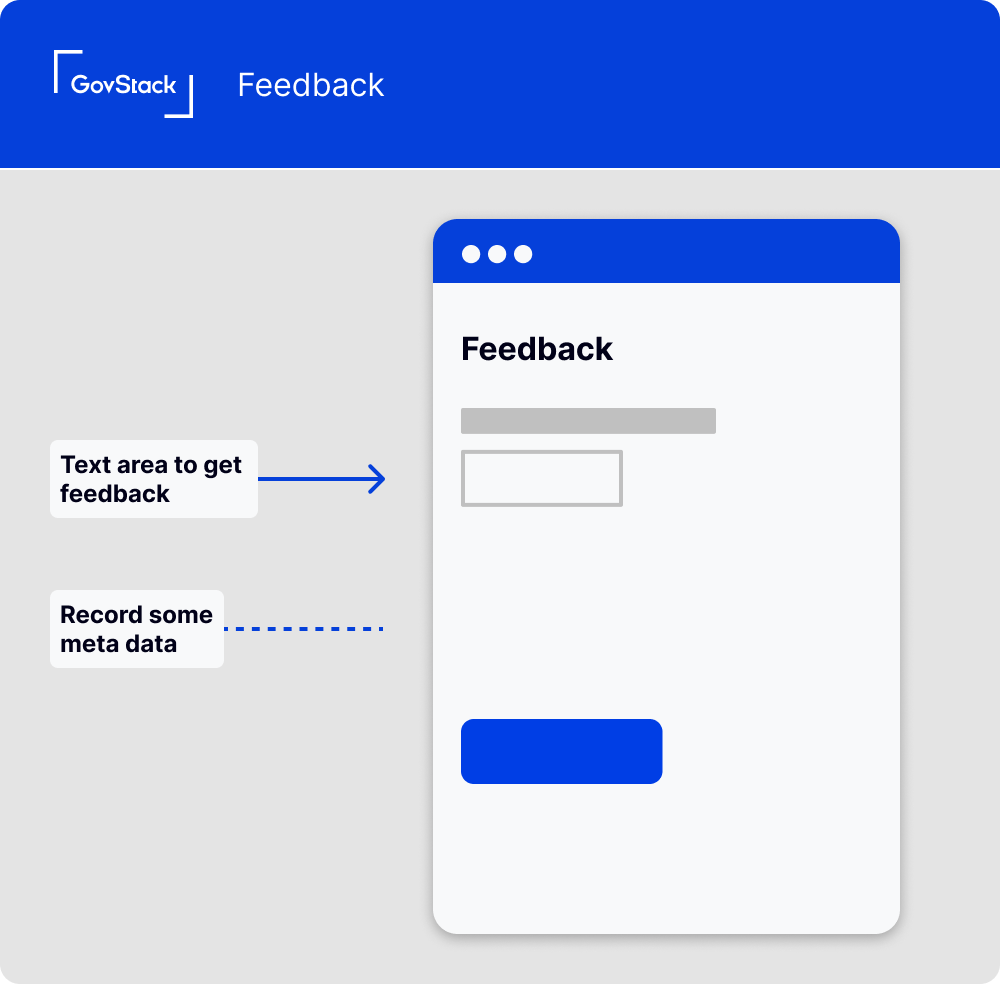
Wireframe showing feedback page
## **How it Works**
### **Prompt for Feedback**
Throughout your service journey, prompt users to provide feedback.
### **Feedback Form**
This could be a dedicated page that opens in a new tab or a modal within the page. Provide a simple text area where users can input their thoughts and experiences. The prompt should be open-ended, such as "Tell us about your experience" or "How can we improve this page?"
### **Submit Button**
Include a clear call to action button for submitting feedback. "Submit feedback" is an effective, straightforward choice.
### **Success Confirmation**
After users submit their feedback, display a success message to let them know it was received successfully. This can be a simple statement like "Thank you, your feedback has been submitted."
### Data you might collect
* Page URL: This shows the specific page where the user submitted feedback, giving you context about what their comments may be referring to.
* Referrer URL: This indicates the page the user visited before the current one, which could be useful for understanding the user's journey.
* Device Information: This includes data like the user's operating system, browser type, and screen resolution, which can be helpful for troubleshooting technical issues.
* Timestamp: Recording the time and date of the feedback can help identify issues that occur at specific times.
* Session ID: If your system uses session IDs, collecting this can help you associate the feedback with a particular user session.
## **When to use this pattern**
You should aim to collect feedback whenever possible, it can be helpful in identifying issues or areas for improvement from the user's perspective.
## **When not to use this pattern**
At the end points of the user journey, you should use the satisfaction pattern.
---
# Agent Instructions
This documentation is published with GitBook. GitBook is the documentation platform designed so that both humans and AI agents can read, navigate, and reason over technical content effectively. Learn more at gitbook.com.
## Querying This Documentation
If you need additional information that is not directly available in this page, you can query the documentation by asking a question.
Perform an HTTP GET request on the following URL with the `ask` and `goal` query parameters:
```
GET https://specs.govstack.global/overview/23q4/govstack-ui-ux-guidelines/4-design-patterns/6-page-templates/7.1-feedback.md?ask=&goal=
```
`ask` is the immediate question: it should be specific, self-contained, and written in natural language.
`goal` is what the user is ultimately trying to achieve, the reason they need the answer. Sharing it helps GitBook give you a better, more relevant answer. A goal is most helpful when it describes the outcome the user wants rather than restating the question. For example, with `ask=how do I create an API token`, a goal like `automate deployments from our CI pipeline` lets GitBook tailor the answer to that use case.
The response will contain a direct answer to the question and relevant excerpts and sources from the documentation.
Use this mechanism when the answer is not explicitly present in the current page, you need clarification or additional context, or you want to retrieve related documentation sections.